Gamekin — AI Gaming Companion
A downloadable app for Windows
Stay in the game. Ask Gamekin.
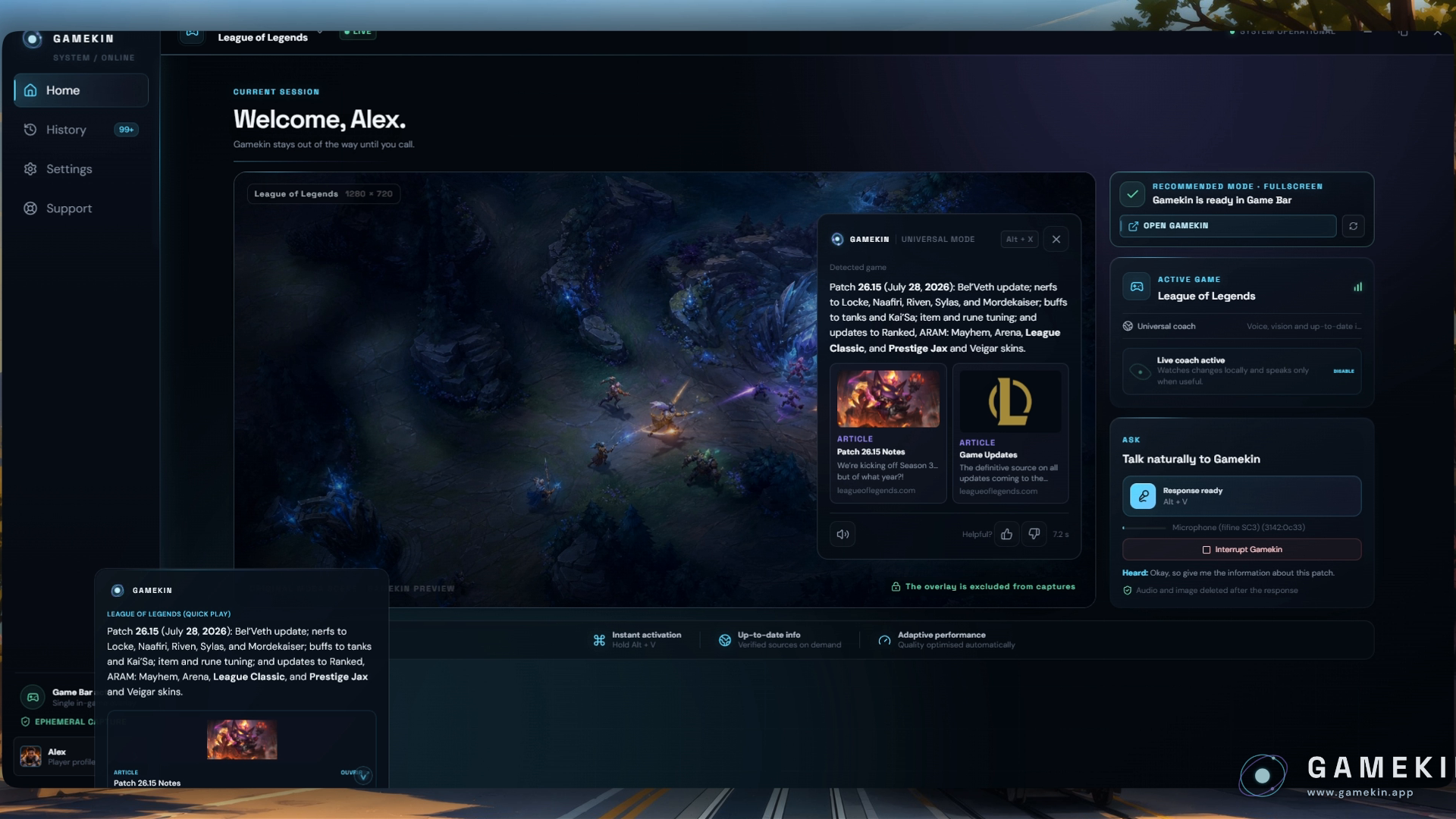
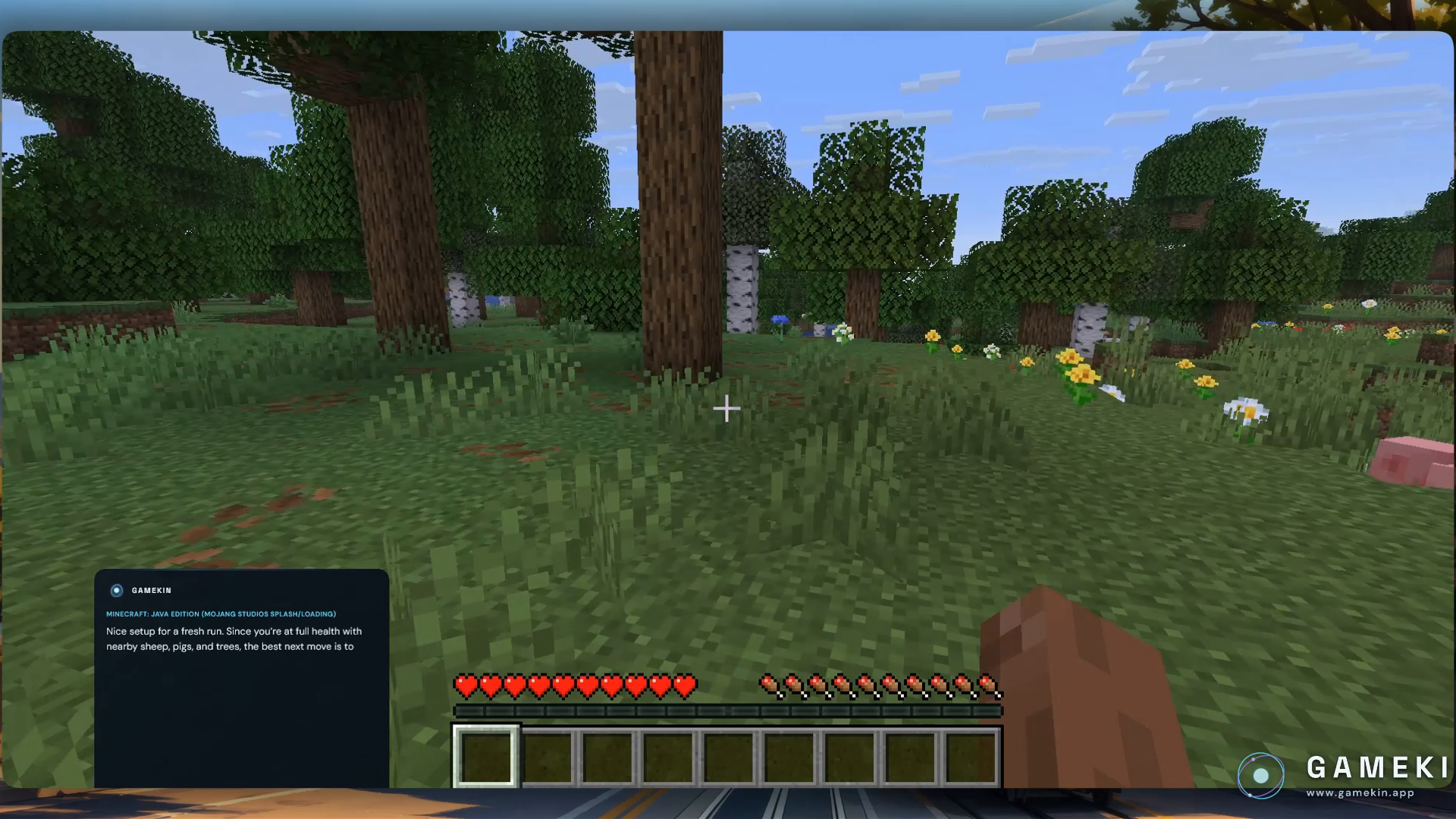
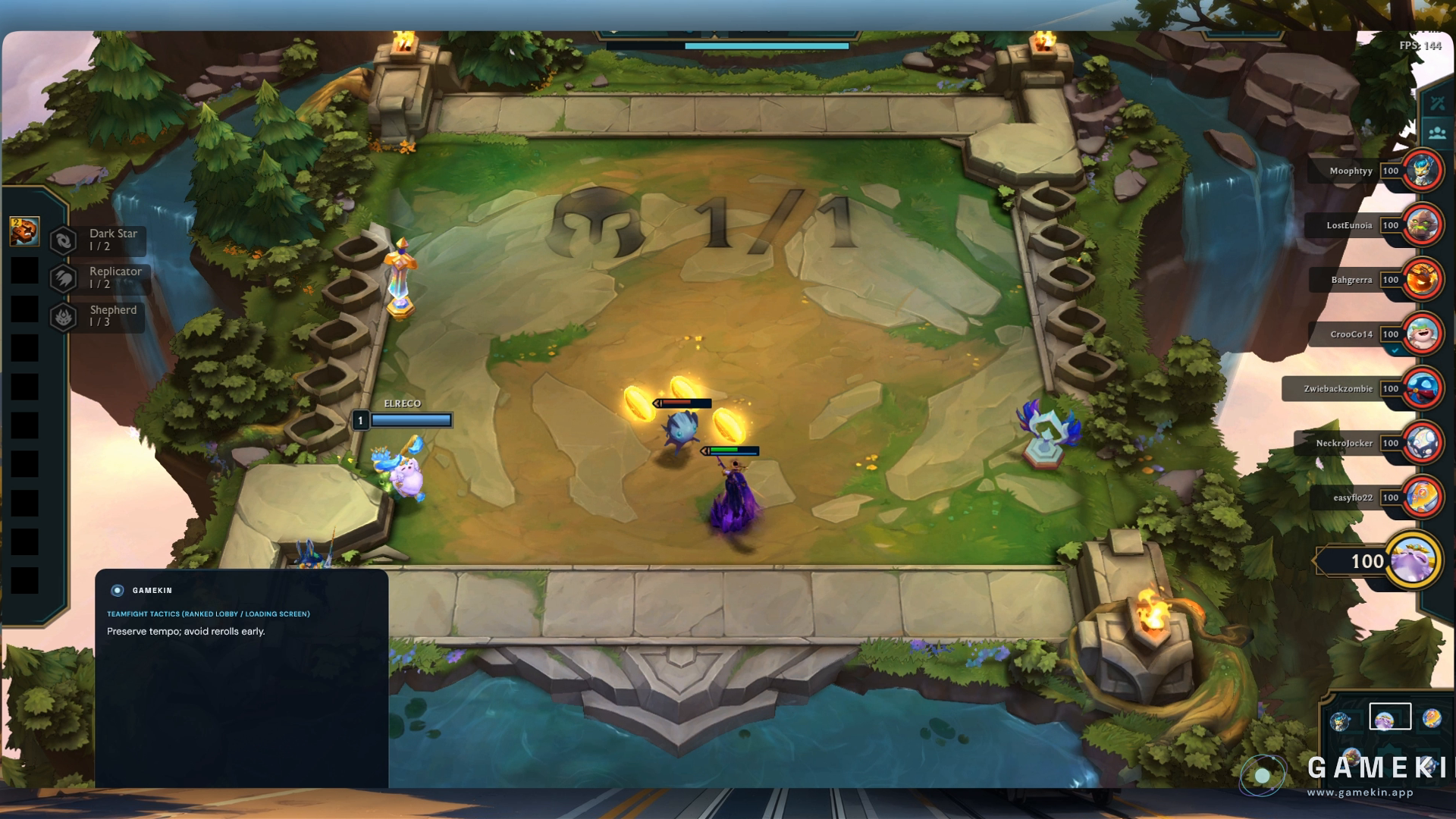
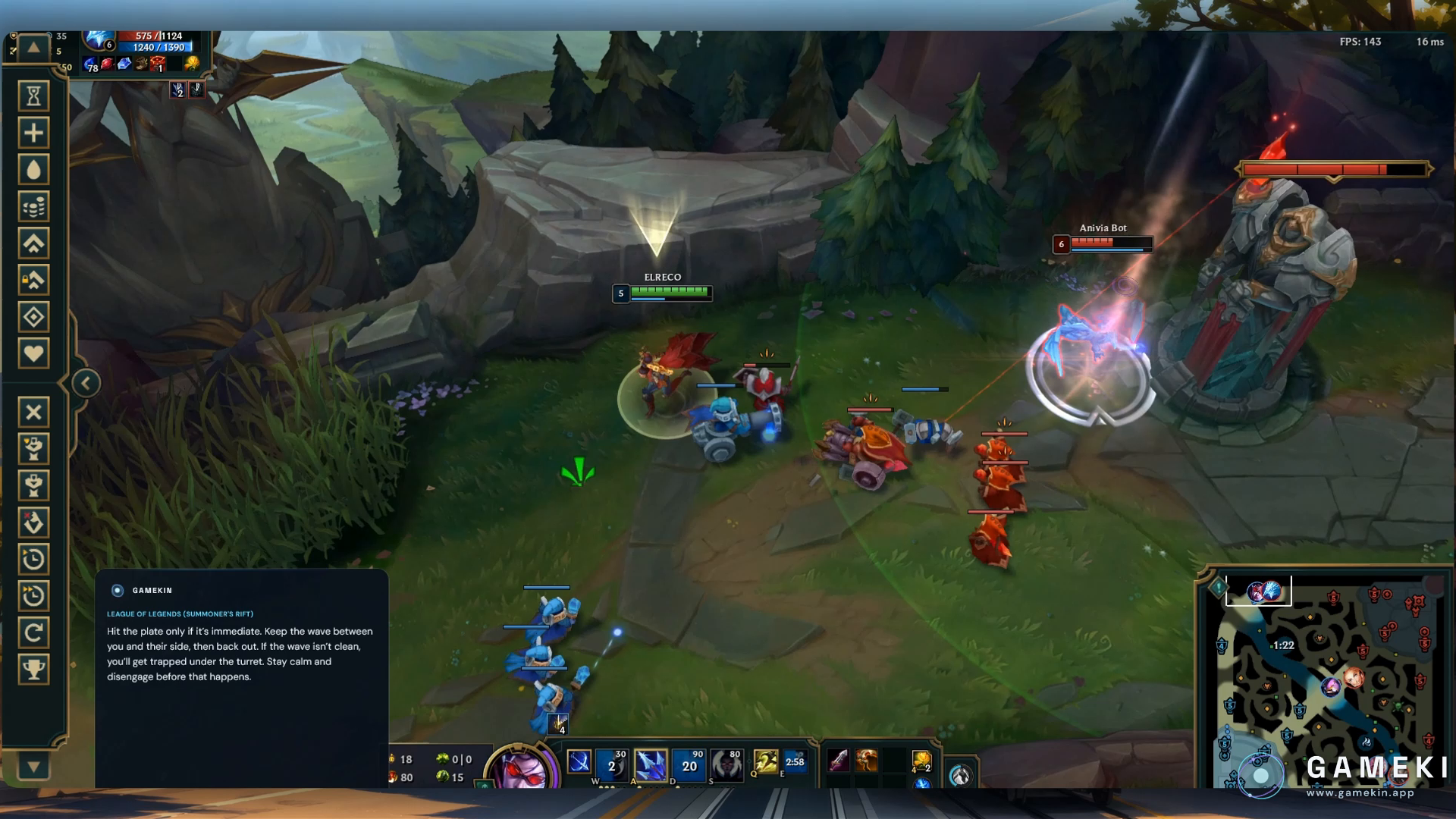
Gamekin is an AI companion for Windows PC games. Ask by voice while you play. When the screen matters, Gamekin can use the game window you selected to understand what you see and answer in a compact desktop or Xbox Game Bar overlay.
Install Gamekin free from Microsoft Store →
What Gamekin does
- Screen-aware help: explain visible menus, builds, objectives, items and game systems.
- Voice on demand: ask naturally without leaving your game.
- Current information: check web sources when a patch or recent change matters.
- Optional Coach: turn on contextual feedback when you want it.
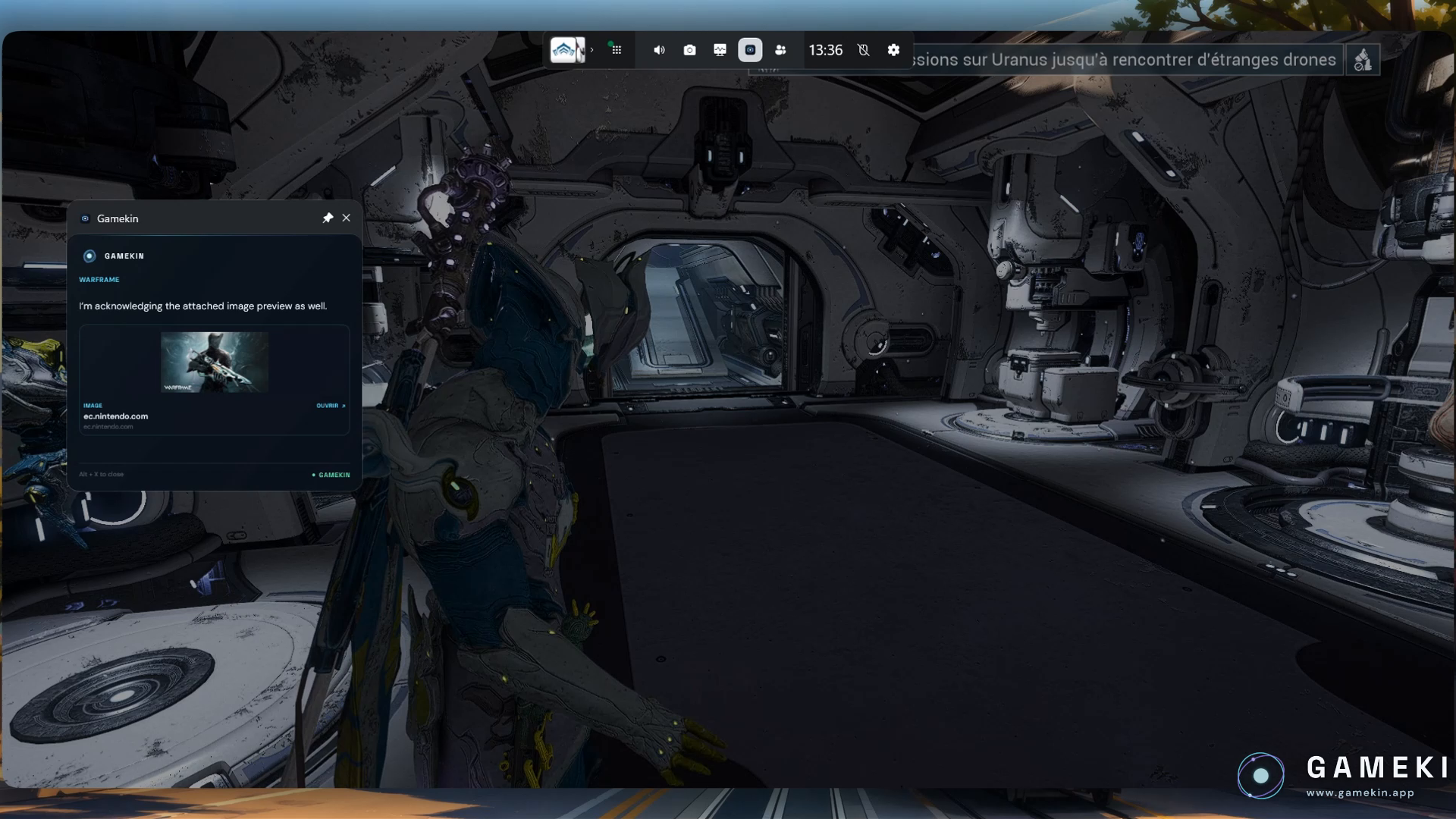
- Fullscreen friendly: use the compact Xbox Game Bar widget with capturable PC games.
Start free
Gamekin Free has no time limit or credit card requirement: 5 questions and 1 Coach AI analysis per day. Paid plans are optional for more usage and additional personalities. See the official website for current plan details.
Get started
- Install Gamekin from the Microsoft Store and create a free account.
- Select the game window Gamekin may see.
- Ask with your shortcut. Open Xbox Game Bar for fullscreen play.
Requires a Windows PC and an internet connection for AI features; voice requires a microphone. Gamekin does not control games, inject code or read game memory. Gamekin is independent and is not affiliated with game publishers. AI answers can be incomplete or inaccurate, especially for new game content.
En français
Gamekin est ton compagnon IA pour les jeux PC Windows. Pose une question à la voix pendant ta partie : si l'écran est utile, Gamekin analyse la fenêtre de jeu choisie et répond dans son application ou son widget Xbox Game Bar.
Gamekin Free : 5 questions et 1 analyse Coach par jour, sans carte bancaire ni limite de durée. Installe Gamekin gratuitement sur le Microsoft Store →
Les fonctionnalités IA nécessitent Internet ; la voix nécessite un microphone. Gamekin ne contrôle pas le jeu et n'est affilié à aucun éditeur des jeux observés.
Download
Install instructions
Gamekin is installed through the Microsoft Store. Click the external download link, choose Get/Install on the Microsoft Store page, then launch Gamekin and create a free account. For the fullscreen overlay, open Xbox Game Bar (Win+G) and pin the Gamekin widget. Voice questions require a microphone and an internet connection.
Installation via le Microsoft Store : ouvre le lien externe, choisis Obtenir/Installer, lance Gamekin puis crée ton compte gratuit. Pour jouer en plein écran, ouvre la Xbox Game Bar (Win+G) et épingle le widget Gamekin.
Also available on

Leave a comment
Log in with itch.io to leave a comment.